
I Built a Voice Analytics Dashboard for Wispr Flow
How I turned my dictation history into actionable insights with a simple Claude Code skill
I Built a Voice Analytics Dashboard for Wispr Flow
I dictate everything.
Code instructions. Slack messages. Texts. Notes. Ideas at 2am. My voice goes into Wispr Flow, text comes out. It’s magic.
But here’s the thing: I had no idea what I was actually saying.
After 1.5 million words dictated, I finally wanted to know where they all went.
The Problem: Voice Goes In, Nothing Comes Back
Wispr Flow is incredible at one thing — turning speech into text instantly. But that’s where it ends. No analytics. No history view. No way to see patterns in how I use my voice throughout the day.
I wanted to know:
- How much am I actually dictating?
- What apps am I using it with most?
- What time of day am I most vocal?
- Can I get a daily recap of everything I said?
Wispr didn’t offer this. So I built it.
The Discovery: It’s All Local
Here’s what I found: Wispr Flow stores everything locally in a SQLite database called flow.sqlite. Every transcription. Every timestamp. Every app you dictated into.
The database lives at:
~/Library/Application Support/Wispr Flow/flow.sqliteOnce I found it, the rest was just SQL queries and some HTML formatting.
What I Built: Voice Analytics Dashboard
I created three scripts that generate beautiful HTML reports:
Daily Recap — Everything you dictated today, organized by hour and app. Perfect for end-of-day review.
Weekly Recap — Patterns emerge. Which days are you most vocal? What apps dominate your dictation? Bar charts and breakdowns.
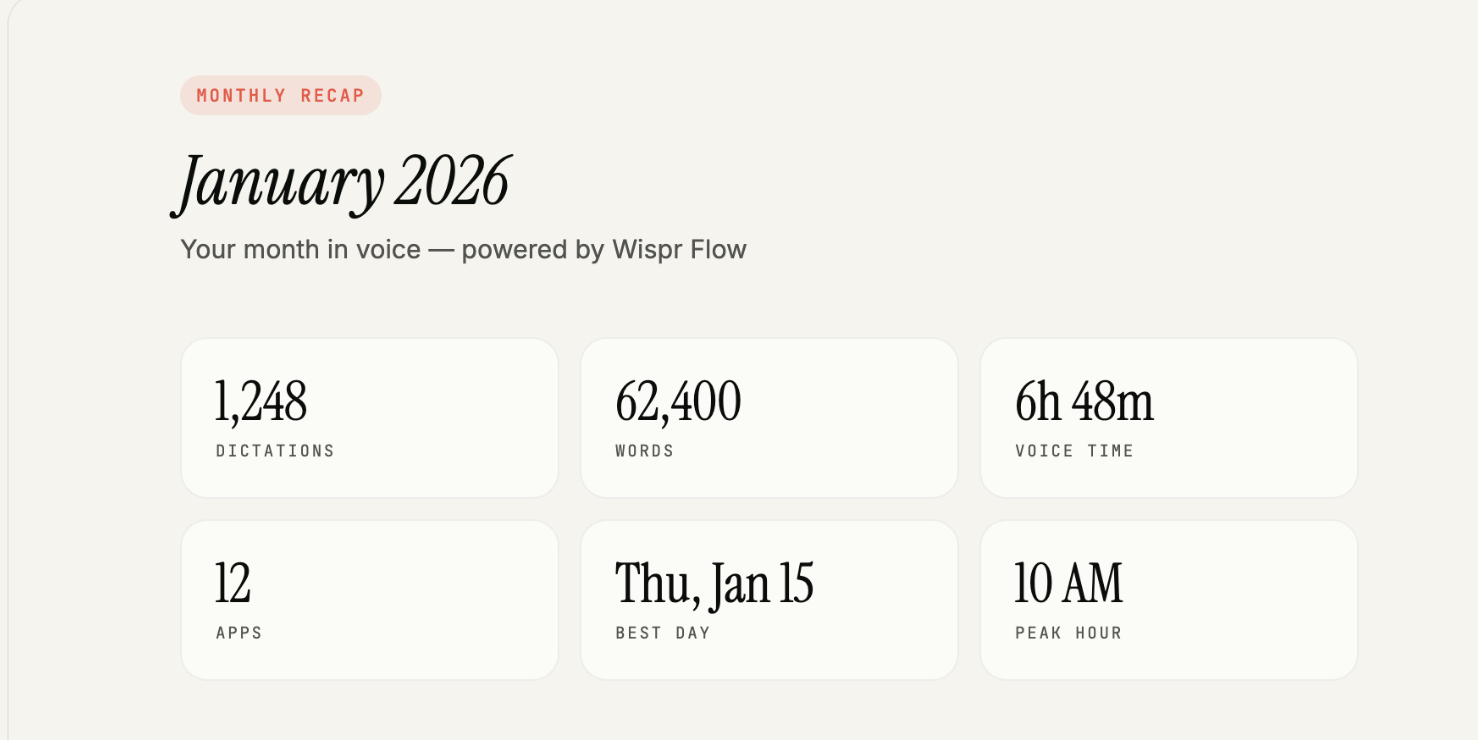
Monthly Recap — The big picture. Total transcriptions, word counts, daily averages, and trends over time.
Each report is a single HTML file you can open in any browser. No server needed. No cloud. Just your data, visualized.
See the examples:
The Claude Code Integration
Here’s where it gets fun.
I wrapped this into a Claude Code skill. Now I can just ask:
“What did I dictate today?”
And Claude queries my local Wispr database, generates the report, and gives me a summary. It’s like having a personal assistant who actually knows what I’ve been working on — because it can see my voice history.
Why This Matters
Voice-first workflows are the future. But without visibility into your patterns, you’re flying blind.
This simple dashboard showed me:
- I dictate 3x more in the morning
- Slack gets 40% of my transcriptions
- I average 47 dictations per day
That’s actionable data. Now I know when I’m most productive with voice, and which apps benefit most from dictation.
Get It (It’s Open Source)
The entire project is open source. Clone it, modify it, make it yours.
If you’re not already using Wispr Flow, it’s the best voice-to-text tool I’ve found for macOS. Runs locally, works everywhere, scary fast.
Building tools for yourself is the best kind of building. You know exactly what you need, and you’re the only user you have to please.
This took an afternoon. Now I have voice analytics forever.
What would you build if you could query your own voice history?